
Since 1982, Microway has provided expert technical software solutions. We offer custom integration on each of our systems. Our experienced team is able to provide anything from bare metal to a fully-integrated, turn-key cluster.
We partner with leading commercial software providers to help you achieve the most robust performance for your application. We also work with community-supported, open-source distributions, libraries and applications. Our own in-house software tools, such as Microway Cluster Management Software (MCMS™), are also available.
Operating Systems
At Microway, Linux is most often the operating system of choice. We would be more than happy to install any Linux distribution on the system you purchase. We commonly provide Red Hat Enterprise Linux (RHEL), CentOS, Scientific Linux, Fedora, SuSE Linux Enterprise Server (SLES), openSUSE, Debian, Ubuntu, Mint and Gentoo. All of our hardware offerings are architected to provide proper support for Linux.
Microsoft Windows and Windows Server are also available pre-installed on any Microway system. Our technicians install all device drivers, run all updates and verify system stability.
Compilers, Libraries and Software Development Tools
GCC
The GNU Compiler Collection contains front-ends for a number of languages including C, C++ and Fortran.
Intel Software Development Products
The Intel Software Development Products provide a full suite of tools which help developers build and improve their codes. These tools include Intel C/C++ and Fortran Compilers, Integrated Performance Primitives (IPP), Math Kernel Library (MKL), Threading Building Blocks (TBB), Intel MPI, VTune Amplifier XE, Inspector XE and Advisor XE. Intel tools are compatible with the leading development environments, such as Eclipse and Microsoft Visual Studio.
NVIDIA/PGI
The former Portland Group (PGI) compilers provide Multicore Optimizing Parallel Fortran, C and C++ compilers for Linux and Windows workstations, servers and clusters. PGI and PGI Accelerator products support the latest 32/64-bit CPUs, GPU accelerators and x86 coprocessors. These products are now transitioned into the NVIDIA HPC SDK.
ArrayFire
ArrayFire provides the fastest accelerated libraries in the world with the most comprehensive functionality. With deployment in C/C++ with ArrayFire, ArrayFire’ products deliver the full benefit of CUDA- and OpenCL-capable GPUs, as well as x86 coprocessors, to your code.
Cluster Diagnostic, Management and Monitoring Tools
MCMS Remote Cluster Monitoring and Control and IPMImon™
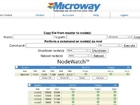
Microway Cluster Management Software (MCMS) enables users to measure, report and record the physical health of each node in a Microway cluster. This includes remotely monitoring fan speeds, temperatures, and power supply voltages, with automated alarms when parameters exceed preset limits. Critical information is delivered remotely via a secure web-based GUI.
GPU-Checker
Microway GPU-Checker is a graphical utility that runs comprehensive GPU tests, stressing both the GPU processor and memory. The software also identifies problems such as memory errors, overheating, and PCIe discrepancies, making it easy to discovery potential issues on your workstation or cluster. Its intuitive but powerful graphical interface makes it easy to determine the health of all of your GPUs from one management point. To learn more about GPU-Checker, click here.
MPI Link-Checker
Microway MPI Link-Checker performs extensive latency, bandwidth, & data integrity tests between all nodes in a cluster and summarizes the data graphically to easily target problem areas. The performance of an MPI application is often limited by the speed of the slowest node. MPI Link-Checker assists with characterization and troubleshooting of hardware platforms, network fabrics, cabling and MPI implementations.
Bright Cluster Manager
Bright Cluster Manager provides a complete, GUI-based management solution for CPU, GPU, coprocessor and hybrid clusters. It’s easy to use, optimizes for top throughput, and has a slim resource and management footprint. Bright Cluster Manager offers our customers the best of both worlds: Those without cluster expertise find a simple, easy-to-use tool to get their work done. Those with expertise have a powerful, flexible utility which improves their efficiency and effectiveness. Bright is used in Top 500 installations around the world.
A copy of RogueWave TotalView debugger is included with all Bright Cluster Manager installations.
In-House Expertise
Microway’s in-house tools provide a variety of diagnostic, validation and monitoring capabilities. These resources are used to ensure proper performance and reliability before systems ship. They can also be leveraged by our customers to detect issues in the field.
Our integrators work with a variety of high-performance libraries and user-level software applications. HPC software compilation, configuration and execution can be a challenge, but our experts have experience making it work. We also have extensive experience integrating, testing and resolving system and BMC firmware issues, such as those commonly found in IPMI implementations.
None of the above fits your situation?
Please reach out to us. We custom-tailor systems every day and would be eager for a new challenge.